
Every coat, worked out.
iCOPEDIA is the app for people who estimate, apply and inspect protective coatings. Calculators, bills of quantities, site reports, instrument records, manufacturers' product data and an AI assistant, free to start.
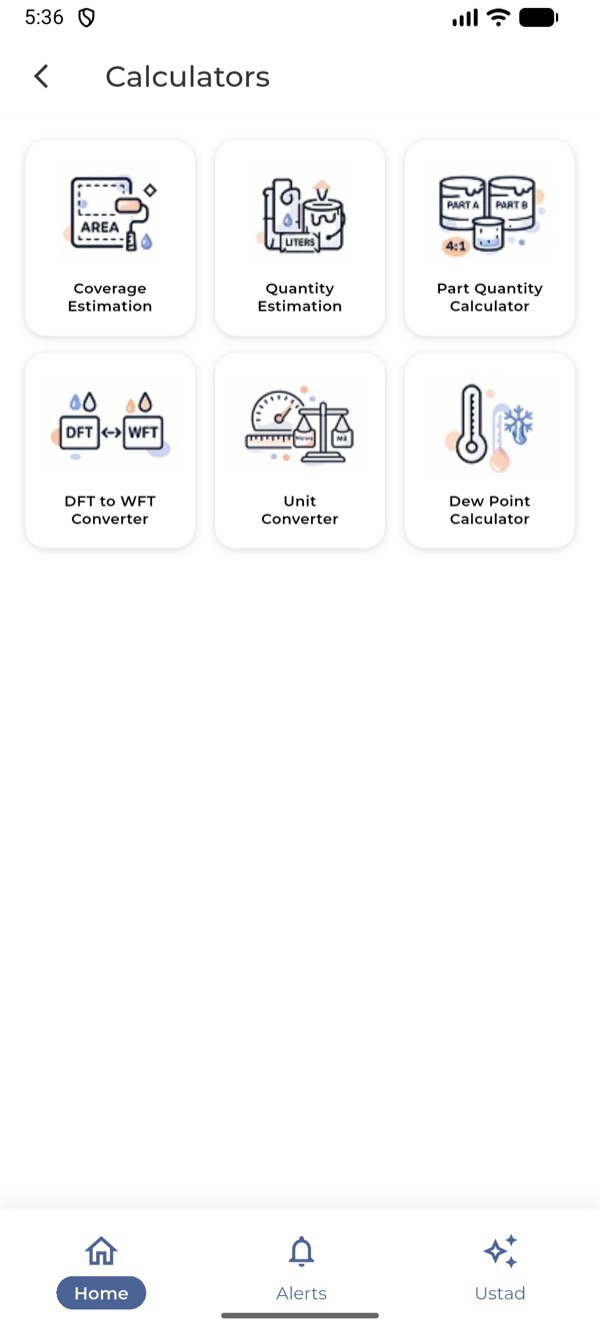
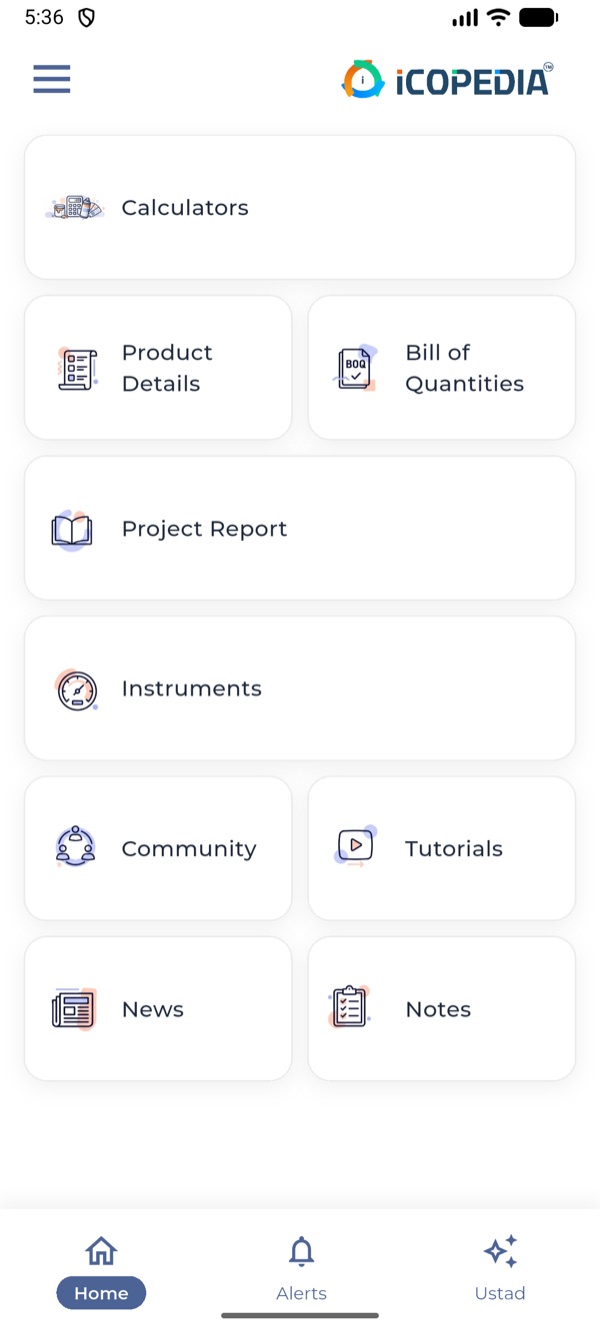
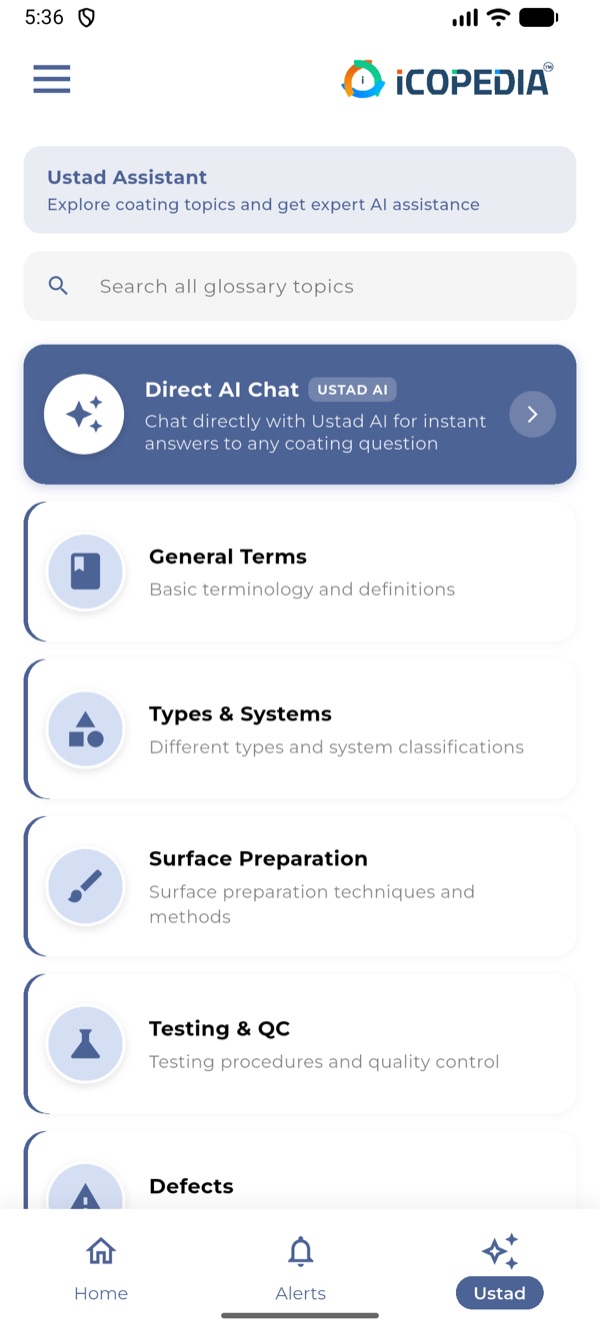
From estimate to sign‑off
The app follows the job. Here's where each tool fits.
Stage 1 of 4
Estimate
Work out how much paint the job needs before you quote.
- Bill of quantities
- Litres for each coat of the system, shared as a PDF. On a company account, pick the products and their data fills in.
- Coverage and quantity estimation
- Area, DFT and volume solids in; litres and coverage out.
- Product details
- Volume solids, DFT range, mixing ratio, pot life and pack sizes, in the same layout for every product.
Stage 2 of 4
Prepare
Check the surface and the weather before anyone starts.
- Dew point calculator
- Air temperature and humidity in; dew point out.
- Project report
- Log surface preparation, blasting and environmental readings for the day's visit.
Stage 3 of 4
Apply
Get the mix and the film thickness right.
- Part quantity calculator
- How much of part A and part B to mix for the quantity you need.
- DFT to WFT
- The wet film to aim for, so the dry film lands in range.
- Unit converter
- Microns to mils and back.
Stage 4 of 4
Inspect
Record what was done, and back it up.
- Project report
- DFT readings, photos and the officials present, exported as a PDF. On a company account, pick the products used and their details fill in.
- Instrument records
- Each gauge with its calibration certificate, and which ones are due or overdue.
- Notes
- Private by default, with voice dictation when your hands are full.
Ask Ustad
Ustad is the AI coating assistant in the app. Ask about surface preparation, coating systems, testing or defects and get a clear first answer in seconds, or look the term up in the built-in coatings glossary.
An example question
What causes pinholes in an epoxy coat?
Usually air or solvent trapped in the film. Common causes are a porous substrate, too thick a coat in one pass, and spraying in high heat…
Ustad gives a first answer, not a sign-off. Check it against the product data sheet, the specification and the relevant standard before you act.
Learn from the rest of the trade
- Community
- Ask questions and share know-how with people across the industry. Anyone can join a discussion; verified members start new ones.
- Tutorials
- Short videos that show you how to use each tool.
- News
- What's happening in the coatings industry.
Free for you, ready for your team
Anyone can sign up with a mobile number and use iCOPEDIA at no cost. Companies get the full app for their whole team.
| Included | Free₹0, for individuals | CompanyPricing on request |
|---|---|---|
| Calculators, all six | ||
| Bills of quantities and project reports filled in from product data | ||
| Bills of quantities | A set number of new BOQs a day | No daily limit |
| Ustad AI assistant | Daily allowance | Five times the free allowance |
| Community, tutorials, news and notes | ||
| Product details | ||
| Project reports | ||
| Instrument records | ||
| Ads on the Home screen | A few, always labelled | None |
| Accounts for your team under your company | ||
| Your products listed in the app | For manufacturers |
Ads are marked “Ad” or “Sponsored”, and we never give your personal details to sponsors. The app shows your exact limits and when they reset.
For manufacturers
Put your product data in front of the inspectors, applicators and engineers who choose and use it every day.
- Your products, where the job is planned
- Your company and logo appear in Product details alongside other manufacturers. Company teams pick products straight into their bills of quantities and project reports, and the product's data fills in, so an accurate listing puts your products into their paperwork.
- You keep your listings up to date
- Your company admin adds and edits products from the Company Admin Panel in the app. No files to send us.
- Your whole team on one company account
- Your people sign up under your company and get every tool, with no daily limits and no ads. They pick products into BOQs and project reports instead of typing data in, and the reports they log stay with your company.
- Reach coating professionals directly
- Sponsored placements on the app's Home screen carry your name and link straight to your website, WhatsApp or phone.
Your company
Your Primer 100
- Product type
- High-build epoxy primer
- Volume solids
- 80 %
- DFT range
- 100 to 200 µm
- Mixing ratio
- 4 : 1 by volume
- Pot life
- 2 h at 25 °C
- Touch dry
- 3 h at 25 °C
- Overcoat interval
- 8 h minimum
- Pack size
- 20 L
Product data sheet (PDF)
How we set up your company
Step 1
Get in touch
Tell us about your company and your team, by WhatsApp, email or the form below.
Step 2
We set up your company
We add your company name and logo, approve your company email domain and make your company admins.
Step 3
Add products, bring your team
Your admin publishes your products from the app, and your people sign up under your company.
Questions
More in Help and FAQ.
Is iCOPEDIA really free?
How do I sign in?
Which phones does it work on?
Can I rely on Ustad's answers?
Who can see my notes and reports?
How do I delete my account?
Talk to us
Questions about the app, setting up your company or advertising? Send a message, or reach us directly.
- +91 92747 22707
- hello@icopedia.co